AI Smart Hub › Blog · Tiếng Việt
Control 20 Android phones from one PC: what you need
How to set up a rack of Android phones controlled from a computer over USB: choosing phones, hubs and cables, enabling USB debugging, and tapping one phone so every phone follows, with no root.
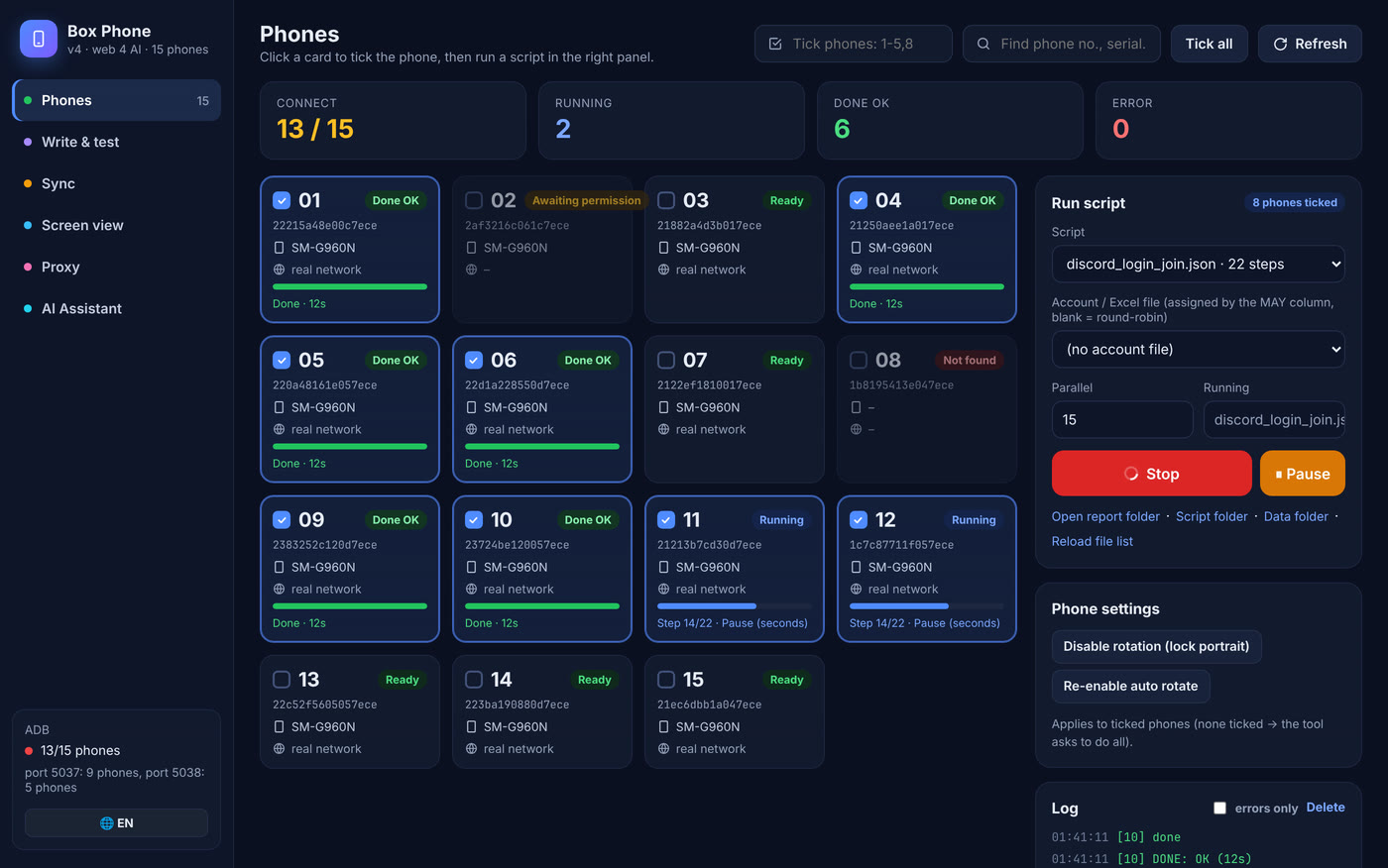
Some jobs only work on real phones: the app has no desktop version, or the platform trusts phones more than browsers. Picking up each phone to tap it gets tiring by phone number five. This post shows how to build a phone rack (phone farm) controlled entirely from one computer.
How it works, in plain words
Android has a built-in "back door" for developers called USB debugging. Switch it on, plug in a cable, and the computer can send the phone commands: tap here, swipe, type, open an app, take a screenshot. No root needed, meaning you don't break open the system, so the phone keeps its warranty and normal security.
What you need
| Item | Suggestion | Note |
|---|---|---|
| Phones | Android 7 or later; one or two models makes life easier | iPhones can't be controlled this way |
| USB hub | A powered hub (plugged into the wall), 7 to 10 ports | Unpowered hubs often drop connections |
| Cables | Data cables, short and sturdy | Many cables only charge and carry no data |
| Computer | Windows 10/11, 4-core CPU, 8 GB RAM or more | Live-viewing many screens uses more CPU |
| Network | Stable Wi-Fi, or a separate proxy per phone | A whole rack on one Wi-Fi shares one IP |
Enable USB debugging on each phone
- Go to Settings → About phone and tap Build number 7 times until it says "You are now a developer".
- Go back to Settings → Developer options and turn on USB debugging.
- Plug the phone into the computer. When it asks "Allow USB debugging?", tick Always allow and press OK.
- Xiaomi phones usually also need USB debugging (Security settings) turned on before taps work.
Tap one phone, they all follow
This is the biggest time saver. You act on one sample phone and the software sends the same action to every other phone. The catch is that screens differ in size and buttons sit in different places. The sturdier approach is to find buttons by their text: instead of "tap at 540, 1200", the script says "tap the button labelled Log in". It finds the right button on any phone, resolution or language.
One IP per phone
If the whole rack shares one Wi-Fi, every phone has the same IP and a platform can easily see a group. The fix is a separate proxy for each phone, routed over the USB cable, with the IP checked before each run.
Doing this with Phone Farm
Phone Farm Controller from AI Smart Hub puts all of this on one screen: live view of the whole rack, tap one phone and all follow, find buttons by text in several languages, a proxy per phone over USB, install an app on every phone in one go, and per-phone reports with a screenshot at the moment of any error. Phones that drop mid-run reconnect on their own. Test a script on one phone before running it on the whole rack.
Frequently asked questions
Do I need to root the phones?
No. Just turn on USB debugging in Developer options. The phone keeps its original system.
How many phones can one computer control?
It depends on hub ports and the computer's power. A powered hub usually runs 7 to 10 phones reliably; more hubs mean more phones.
Do iPhones work?
No. Control over USB debugging is only available on Android.
Try it on your own PC, free for 3 days
No card, no sign-up. Every key works on 2 computers. Not sure yet? Message us first and we will tell you honestly whether it can do your job.